Platform
One system for the work of care.
MOCEAN OS runs the coordination behind a clinic and the experience around the patient. One record carries both.
For clinic teams
Scheduling & booking
Online booking, waitlists, and reminders keep the day's schedule full and accurate. The front desk sees the same calendar the patient books into.
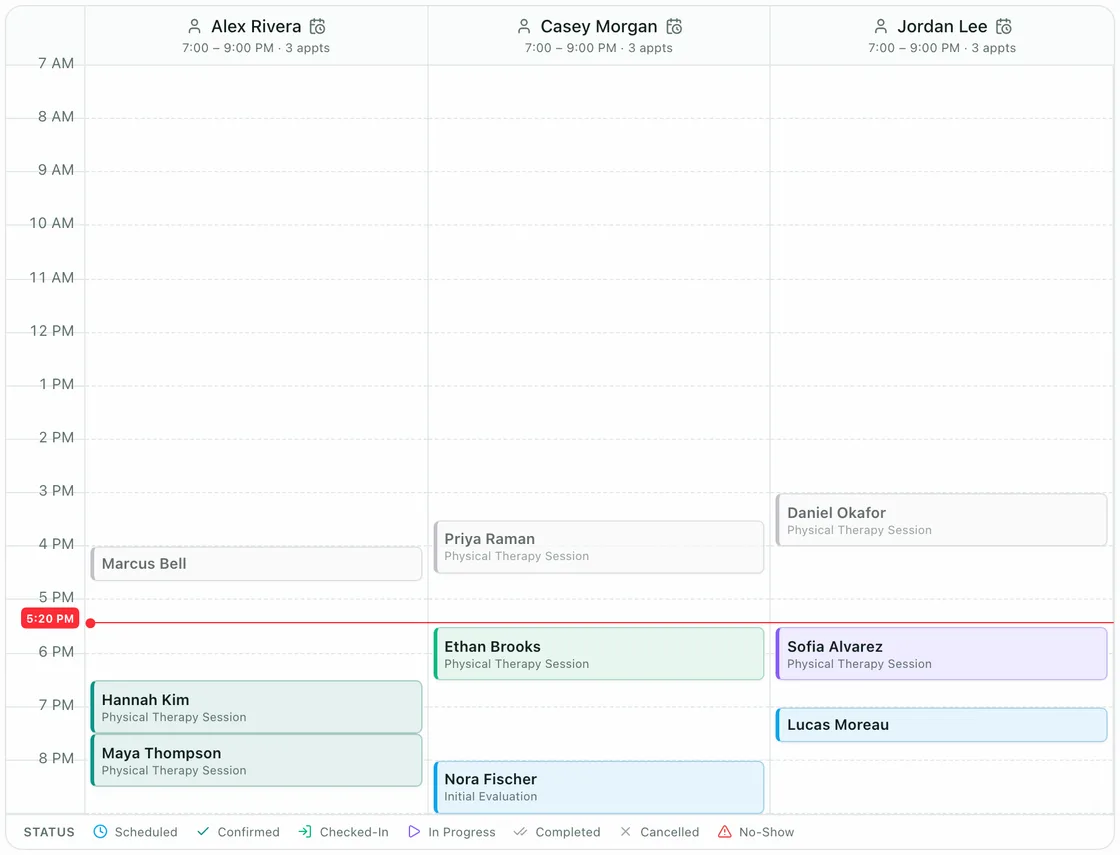
- Every clinician, side by sideThe day view gives each clinician's schedule its own column.
- The day as it standsA line marks the current time across every column.
- Status on every visitScheduled, confirmed, checked in, in progress, completed: each visit shows where it stands.
Clinical records & assessments
Session notes and assessments live on the visit, with body-composition results linked to the same record. Documentation follows the work, not the other way around.
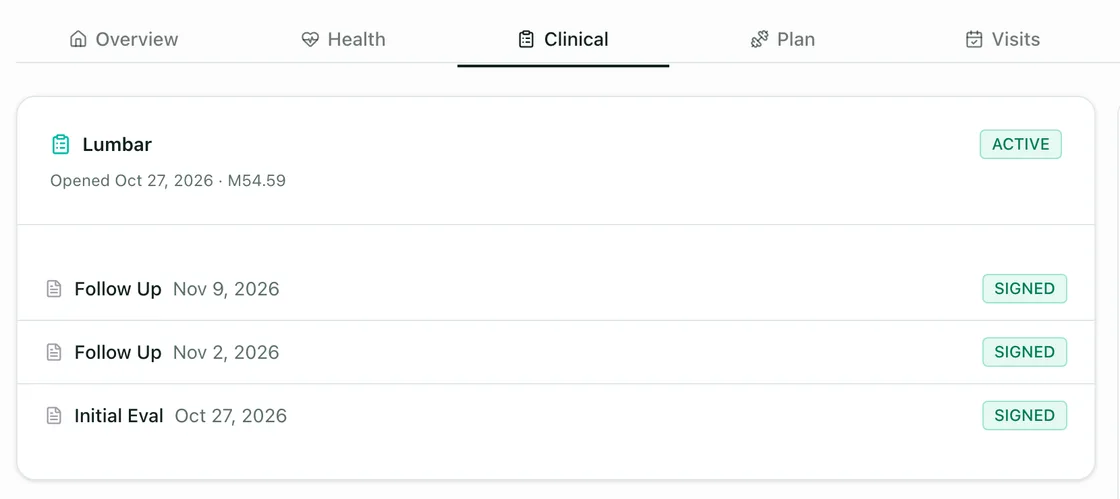
- One record per patientOverview, health, clinical notes, plan, and visits are tabs of the same record.
- Notes grouped by caseA case keeps its evaluation and its follow-ups together.
- Signed by the clinicianEach note shows whether it has been signed.
Payments & memberships
Care programs, memberships, and payments run from the same visit record. Billing starts where the visit ended.
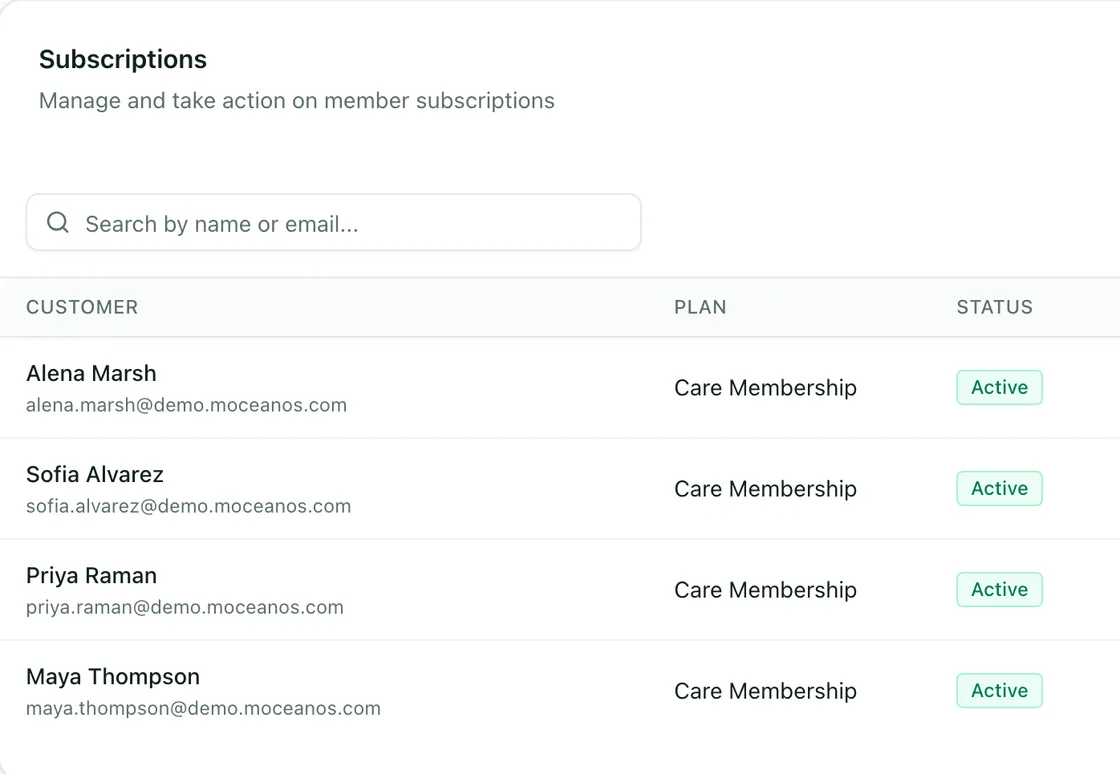
- Every membership in one listThe clinic's subscriptions, searchable by name or email.
- The plan each member is onEach row names the plan the member is on.
- Status at a glanceEach row shows whether the membership is active.
CRM & messaging
Conversations patients start in the app arrive in one shared inbox, where the team claims, hands over, and resolves them. Every conversation stays attached to the person it belongs to.
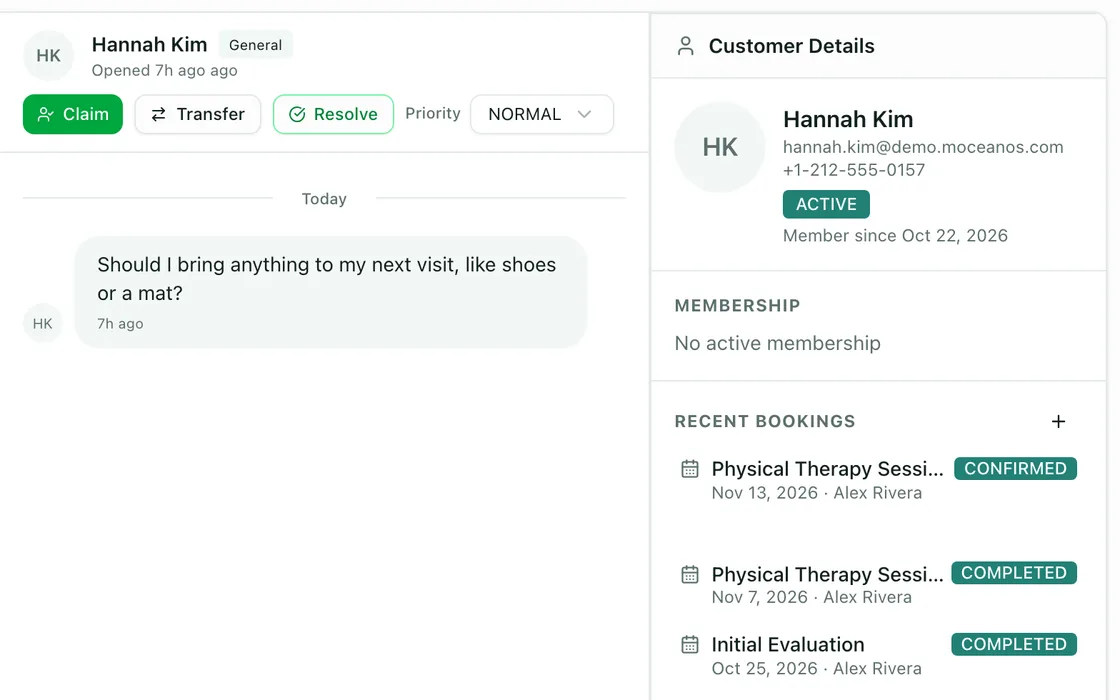
- The question, as it was askedA patient's message arrives as a conversation the team can answer.
- Claim, transfer, resolveA teammate takes the conversation, hands it over, or closes it.
- The person behind the messageMembership and recent visits sit beside the conversation.
Safeguards. Role-based access and permission groups; access to records is logged.
For patients
Follow one patient's journeyThe patient portal and mobile app carry the relationship between visits: booking and rescheduling, programs and progress, health summaries, messages, and virtual sessions — all against the same record the clinic works in.
Safeguards. Encrypted connection and sign-in; patients see only their own record.
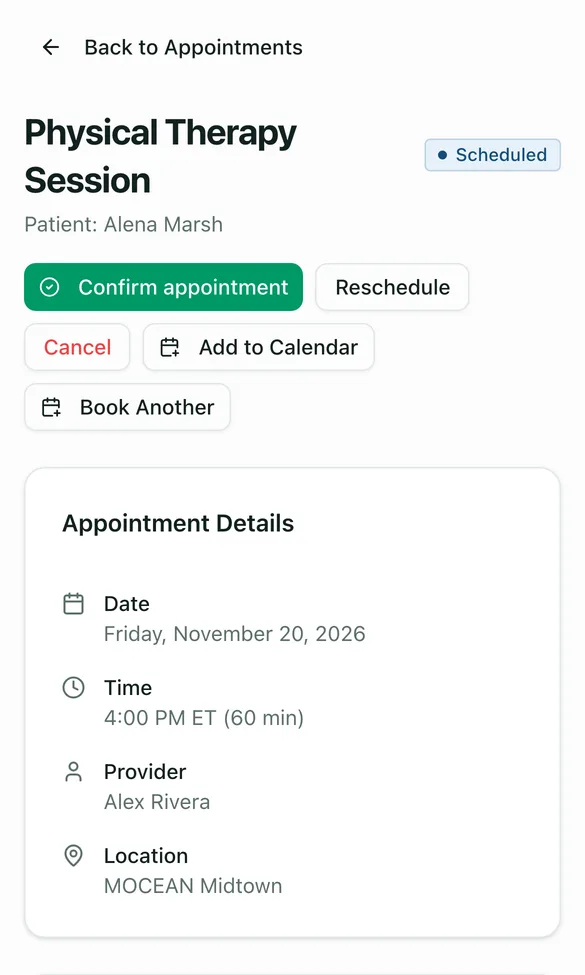
Visits
The next visit, with confirm and reschedule.
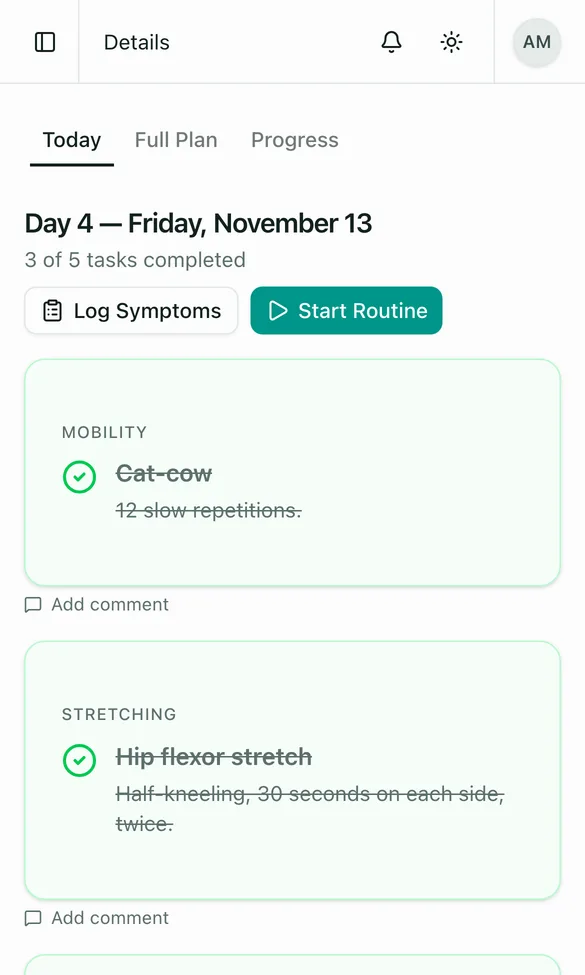
Programs
Today's exercises, checked off as they are done.
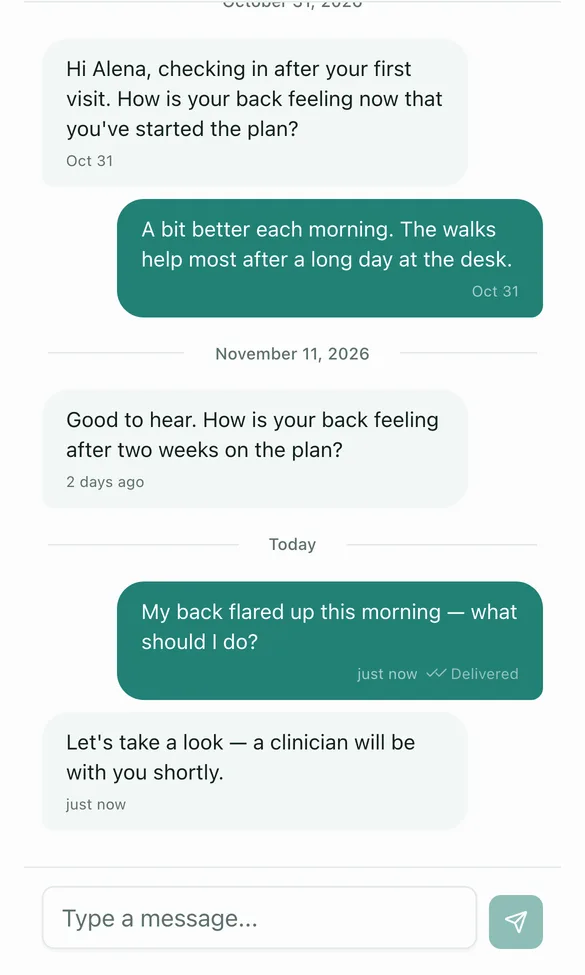
Messages
One thread with the clinician.
Connected data
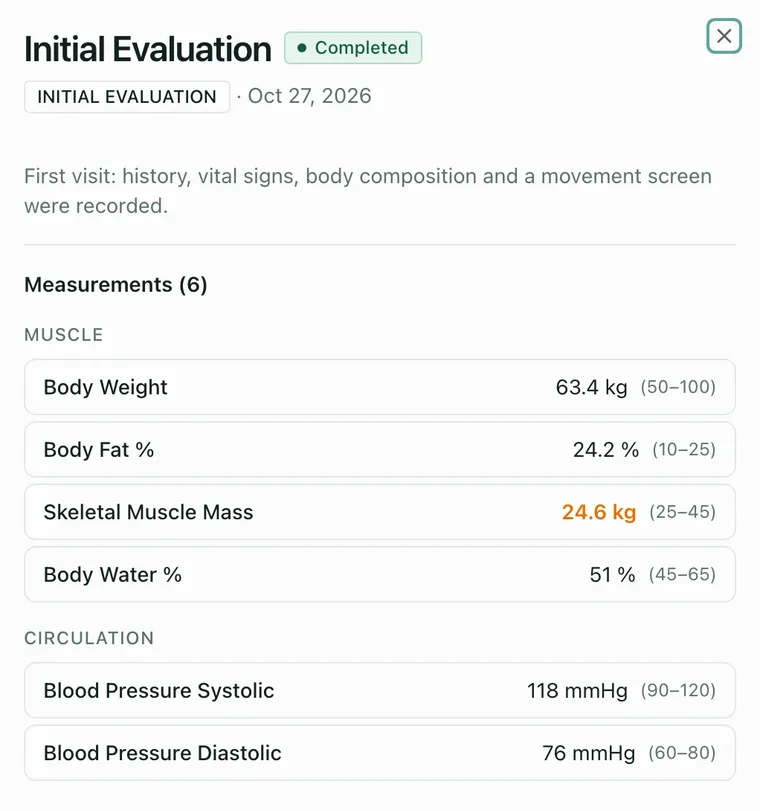
Measurements join the record the team already works in.
After an evaluation, the clinician uploads body-composition results and vital signs to the patient's record. They sit beside assessments, care plans, and session notes, each value with its normal range.
Safeguards. Measurement data enters through the same access controls as everything else.
How it fits together
All practicesWeb portal · Patient app · Partner portal
- encrypted connection · sign-in
Access
roles · permission groups · per-organization isolation
MOCEAN OS platform
records · scheduling · billing · messaging
- access to records is logged
Data & integrations
encrypted records · payment provider
Private cloud network (AWS) · business associate agreements in place
- Three ways inClinic teams work in the web portal, patients in the app, partners in their own portal.
- One gateEvery request passes access control first: roles, permission groups, and per-organization isolation.
- One platformRecords, scheduling, billing, and messaging share one core, so every part works from the same record.
- Data underneathRecords are encrypted, payments run through a payment provider, and access to records is logged.
See it through one patient's eyes.
Or talk to us about what it would run for you.